
Creating a home office that feels both cozy and productive is essential for anyone working remotely or spending significant time at home. A well-designed workspace can enhance focus, reduce stress, and make daily tasks more enjoyable. If you want to improve your home office setup, here are practical tips to help you build an environment that supports your work and well-being.
Choose the Right Location
Selecting the best spot for your home office is the first and most important step.
– Quiet Space: Look for an area with minimal distractions and noise. If possible, select a room or corner away from high-traffic zones in your home.
– Natural Light: Position your desk near a window to take advantage of natural light, which can improve mood and reduce eye strain.
– Separate Work Area: Having a distinct space dedicated to work can mentally separate professional tasks from home life, making it easier to “switch off” after work.
Invest in Comfortable and Ergonomic Furniture
Comfort is key to maintaining productivity during long working hours.
– Ergonomic Chair: Choose a chair that supports your back well and allows you to maintain good posture.
– Proper Desk Height: Ensure your desk height aligns with your chair so your arms rest comfortably when typing or writing.
– Adjustable Elements: Desks with adjustable height or add-ons like footrests and keyboard trays can make a big difference.
Personalize Your Workspace
Adding personal touches helps create a cozy atmosphere, making your office feel welcoming.
– Decor: Include a few decorative items like plants, artwork, or a small rug to add warmth without cluttering.
– Colours: Use calming colors such as soft blues, greens, or neutrals to create a soothing environment.
– Lighting: Besides natural light, use warm task lighting like desk lamps to avoid harsh overhead lights.
Keep Your Workspace Organized
A clutter-free office supports clearer thinking and less distraction.
– Storage Solutions: Use shelves, drawers, or bins to keep supplies and documents tidy.
– Cable Management: Organize cables with clips or sleeves to keep them out of the way.
– Daily Clean-Up: Set aside a few minutes each day to tidy your desk and maintain order.
Use Technology to Your Advantage
Technology can streamline your work but can also add to clutter or distractions if not managed well.
– High-Quality Equipment: Invest in reliable hardware such as a good monitor, keyboard, and mouse to improve comfort and efficiency.
– Software Tools: Use productivity apps and calendar tools to stay organized.
– Avoid Distractions: Turn off non-essential notifications during work hours to increase focus.
Establish Boundaries and Routines
Creating habits and boundaries is as important as the physical environment.
– Set Working Hours: Define consistent start and finish times to structure your day.
– Breaks: Schedule regular breaks to rest and recharge.
– Clear End-of-Day Ritual: Develop a routine that signals the end of work, helping you relax and shift focus to home life.
Enhance Air Quality and Comfort
Good air circulation and a comfortable temperature contribute to well-being.
– Ventilation: Open windows regularly or use air purifiers to keep the air fresh.
– Temperature Control: Use fans, heaters, or humidifiers as needed to maintain a comfortable climate.
– Plants: Indoor plants not only improve air quality but also increase feelings of calm.
Sound Control for Focus
Managing noise levels helps maintain concentration.
– Noise-Cancelling Headphones: Useful for blocking out distractions.
– Soft Materials: Adding rugs, curtains, or cushions can reduce echo and soften sounds.
– Background Music: Some people find gentle music or white noise helps with focus.
—
By thoughtfully arranging your home office with these tips, you can create a comfortable and productive space that supports your work goals and personal comfort. Remember, small changes can have a big impact on your daily workflow and overall satisfaction while working from home.
Related Posts
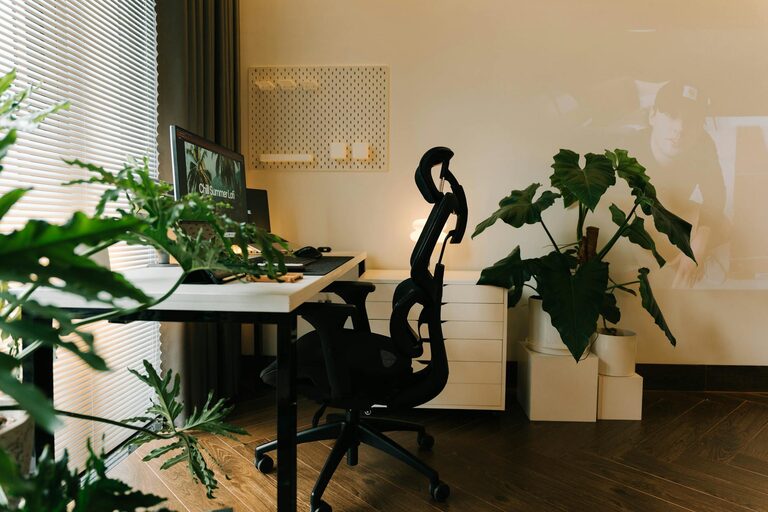
Tips for Creating a Cozy and Productive Home Office Space
Creating a home office space that feels cozy and helps…
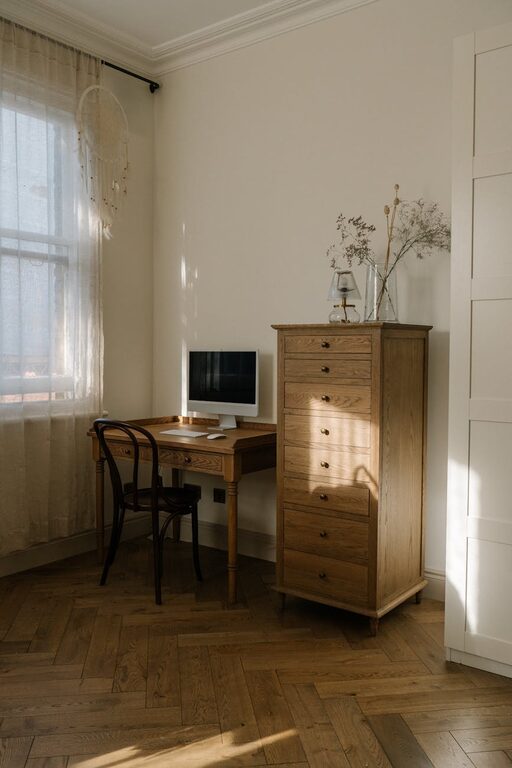
Tips for Creating a Cozy and Inviting Home Office Space
Creating a comfortable and inviting home office space is essential…

Tips for Creating a Cozy and Productive Home Office Space
Creating a home office that feels both cozy and productive…